








Every control panel designer has made this call dozens of times. You’re laying out a panel, you have a function to assign to a button, and the question comes up: latching or momentary? Most articles answer this with a definition — latching stays put, momentary springs back. What’s less often written down is the actual decision process: not just what each switch does, but what drives the choice in practice.
The Core Difference, Stated Once
A momentary push button switch activates only while being pressed. Release it, and it returns to its resting position. A latching push button switch changes state on each press and holds that state until pressed again. That’s the mechanical difference. Everything else follows from it.
The Real Question: Who Controls the State?
Here’s the frame that actually helps with selection: who or what is responsible for maintaining the circuit state?
With a momentary switch, the operator maintains the state by holding the button, or the control system — a relay, PLC, contactor — maintains it after receiving the momentary signal. The button itself has no memory.
With a latching switch, the switch itself maintains the state. The button is the memory.
This matters more than it sounds. In motor control, the standard architecture is a momentary START button that energizes a contactor, which then seals itself in through its own auxiliary contact. If power is lost and restored, the motor does not restart automatically. A latching button left in the ON position would restart the motor on power restoration — a hazard in most industrial environments. This is one reason momentary buttons dominate motor control panels even though latching seems simpler at first glance.
Where Latching Push Button Switches Belong
Latching switches are the right choice when the function is independent of the control system — a local panel light, an internal fan, an auxiliary socket. They also work well when the button state and the machine state are the same thing, and a latching illuminated head can show both at once. MODE SELECT applications like manual/auto or local/remote are a good fit: the button position itself communicates the active mode without needing a separate indicator.
Where Momentary Push Button Switches Belong
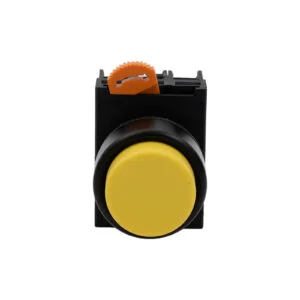
Momentary switches cover the majority of industrial panel functions. START and STOP commands rely on contactor or PLC logic to handle state after the momentary input. JOG and INCH functions require momentary by definition — the machine moves only while the button is held. RESET functions send a brief pulse and are done. PLC digital inputs are typically edge-triggered, making momentary the natural match.
Emergency stops are a special case. They use a twist-to-release or pull-to-release mushroom head — the latching is mechanical but the release requires a deliberate secondary action, not another press of the same button. This is distinct from standard latching push buttons.
The Illuminated Button Question
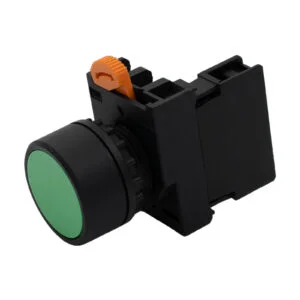
On a momentary illuminated button, the LED reflects an external circuit state — motor running, power present, fault active — regardless of whether the button is being pressed. On a latching illuminated button, the LED can be wired to reflect the latch state itself.
The question is: do you want the indicator to show what the button is doing, or what the machine is doing? In most industrial panels, you want to know what the machine is doing. That’s why separate indicator lights alongside momentary buttons remain standard. The indicator reflects reality; the button sends commands.
Common Mistakes
Using a latching button where momentary is needed for safety — a jog function or hold-to-run circuit — leaves the machine running when the operator releases the button.
Using a momentary button for a function that needs state persistence, without relay or PLC support to seal the circuit, means the function won’t stay active after the button is released.
Confusing button type with contact type. A latching button can have NO or NC contacts. A momentary button can too. These are independent attributes. Button type describes what happens mechanically after a press. Contact type describes the electrical state at rest.
Quick Selection Reference
Motor START: Momentary — contactor self-hold handles state
Motor STOP: Momentary — breaks contactor seal
JOG / INCH: Momentary — hold-to-run by definition
RESET: Momentary — pulse signal only
LOCAL / REMOTE mode: Latching — state needs to persist at button
MAN / AUTO mode: Latching — visible state at button useful
Panel light / fan: Latching — simple standalone circuit
Emergency STOP: Twist or pull release — not a standard latching button
PLC digital input: Momentary — edge detection, no state hold needed
What This Means for Sourcing
When specifying push button switches for a panel build or OEM product, the latching vs momentary decision should be settled before you look at catalog pages. Once you know which functions need which type, the remaining choices — contact configuration, head profile, illumination, IP rating, color — follow more naturally.
At ACXION, we manufacture both latching and momentary push button switches across flat and raised head configurations, with and without illumination, in standard contact arrangements. Both types share the same modular frame and contact block system, so you can standardize on one frame size across your panel and vary only the head type and contact block for each function. Contact us with your switching diagram and we will confirm the right configuration.