








Choosing the right rotary cam switch is notoriously frustrating. Unlike a simple push button, a cam switch deals with multiple circuits, overlapping contacts, and distinct rotational angles. If you grab the wrong one, you end up with a switch that physically fits your panel but lacks the internal contact logic to actually run your equipment. Whether you are designing a control panel for a commercial HVAC system, building a manual backup power transfer, or setting up a restricted access control desk, getting the switch specifications right the first time saves hours of rewiring and return shipping delays. Here is a practical, step-by-step breakdown to help you map your electrical needs to the correct ACXION cam switch model.
Mapping Your Circuit Requirements
Deciding Between 3-Terminal and 5-Terminal Logic
The most common mistake buyers make when browsing cam switches is confusing the number of external terminals with the number of switch positions. The terminals are the actual physical screw ports on the back of the housing where you land your wires. If you look at the ACXION 3 Terminal General Type Cam Switch, it is engineered for simpler, streamlined routing—such as shifting a single signal line between two separate outputs like a basic Local/Remote toggle or a Changeover setup.
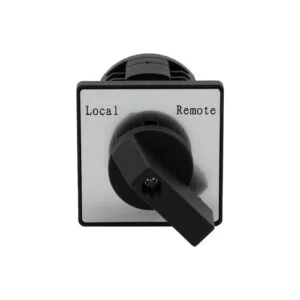
On the other hand, if you are managing more complex, multi-phase systems or need an independent common line alongside multiple distinct output paths, you need to step up to the ACXION 5 Terminal General Type Cam Switch. Choosing the 5-terminal configuration gives your wiring schematic the extra physical isolation required to bridge or separate different voltage paths without causing a backfeed or an accidental short circuit across the internal cams. It gives your design team the headroom needed for complex multi-wire logic.
Why the 22mm Standard is the Ultimate “Drop-In” Cost Saver
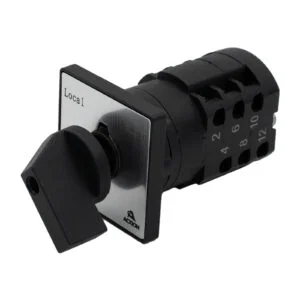
In the world of industrial control panels, 22mm is not just a random measurement. It is the international standard, the universal dialect of automation panel cutouts. When a facility manager or an OEM panel builder is looking to source replacement components, they are not looking to re-engineer their entire enclosure. If a legacy European or Japanese cam switch burns out on a machine door, nobody wants to shut down production just to resize the mounting holes. They want what the industry calls a true “drop-in replacement.”
This is exactly why ACXION designs its entire lineup around the standard 22mm mounting footprint. Because your existing enclosures are already processed using automated CNC punches or laser cutters set to 22mm, these switches slip directly into the existing panel framework. Your installation crew doesn’t need to drag out hole saws, step drills, or deburring tools, and your engineering team doesn’t have to spend a single minute redrawing CAD layout files. You simply unscrew the old, failed component, slide the ACXION rotary barrel into the same 22mm opening, lock it down, and land your wires. It turns a frustrating repair job into a five-minute swap, drastically slashing labor hours during both emergency retrofits and large-scale panel builds.
When to Upgrade to a Key-Type Cam Switch for Safety
If your control panel is going into a public area, a school workshop, or a shared commercial property, standard pointer handles pose a constant security risk. Anyone walking past can twist a standard handle, turning off a critical building ventilation fan or overriding an automated pump cycle. To solve this, you should replace the standard handle with a keyed lock mechanism.
The ACXION 3 Terminal Key Type Cam Switch and the Panel Key Cam Switch completely restrict access to authorized personnel. The internal cam mechanism is locked solid until the matching key is physically inserted and turned. Even better, pay attention to the key-retraction logic when ordering. Many industrial setups require the key to be removable only in the “Off” position (Position 0), ensuring that an operator cannot walk away with the key while the machine is manually forced into an active state.
Solving the Visual Blind-Spot with Dual-Indicator Models
In dark basement maintenance rooms, crowded commercial kitchens, or busy warehouse loading docks, operators don’t have the time to walk directly up to a panel and read tiny text labels like “Position 1” or “Auto.” They need instant, high-visibility confirmation of the system status from across the room.
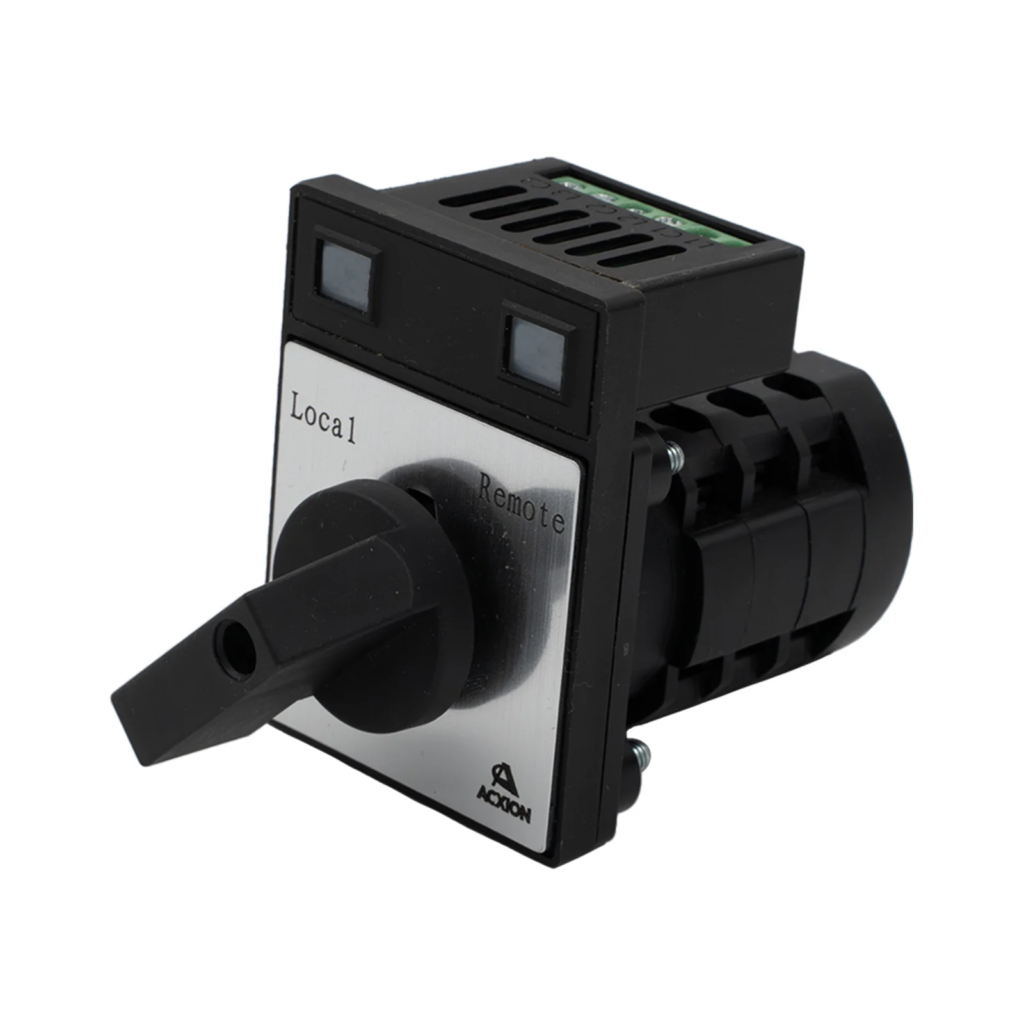
If your layout requires high situational awareness, look for a Dual-Indicator Cam Switch. By incorporating clear visual windows or integrated indicator structures directly onto the front faceplate structure, this design tells the operator exactly which circuit path is active at a single glance. It completely eliminates the guesswork and prevents operators from accidentally leaving a critical backup pump running in manual mode overnight.
Central Mounting vs. Traditional Panel Mounts
Finally, consider the mechanical layout of your enclosure. If you are dealing with a tight, crowded electrical box where space behind the door is at a premium, standard bulky rotary housings can crowd your contact blocks and pinch your wiring harnesses.
The ACXION Central Mounting Cam Switch is explicitly designed to streamline these tight fits. It utilizes a compact, centered barrel design that aligns the rear screw terminals perfectly inline with standard wire duct paths. This minor mechanical detail saves massive amounts of installation time for panel builders who need to neatly route and lace dozens of multi-conductor wires without crimping or binding the back of the switch.